
Updating Tracking
Mark orders as fulfilled and add their tracking number automatically as you ship.
Turn on Mark Fulfilled
Section titled “Turn on Mark Fulfilled”- Tick Mark Fulfilled on the Scan And Ship settings page.
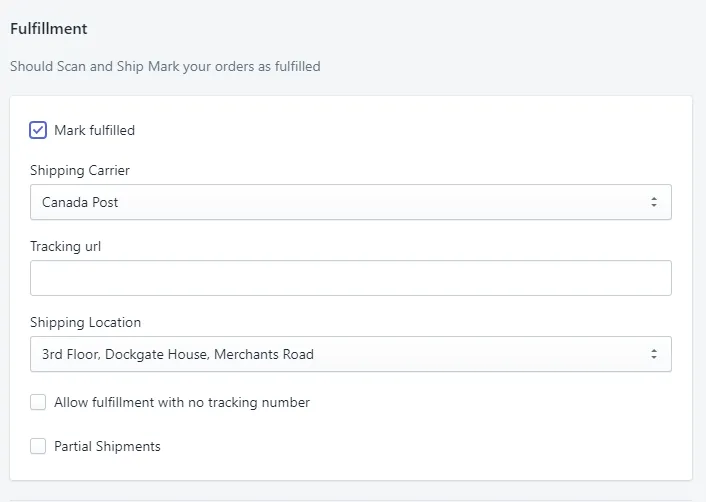
You can also set:
- Shipping Carrier — leave this blank and Shopify will try to detect the carrier from the tracking number format, or set it to prompt you when fulfilling if you use multiple carriers.
- Fulfill without tracking — tick this if you don’t track your shipments.
- Shipping Location — your current location.
Scan the tracking number
Section titled “Scan the tracking number”- Once all the items are scanned correctly, Scan And Ship prompts you to scan the tracking number.
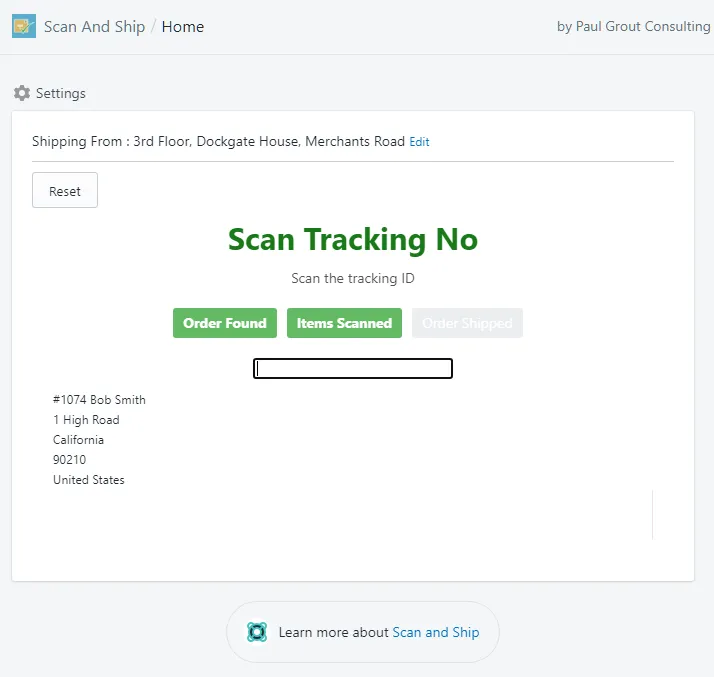
The tracking number is updated on the order, and Shopify emails the customer to let them know the order has been fulfilled.